Write the prompt once.
AI drafts and schedules the whole week.
You write the prompt, the AI drafts posts that follow it, you approve them, and the app queues each one and publishes it at the minute you picked. The scheduler runs on our server, so posts go out with your laptop closed, and the queue tops itself up.
- No Threads password stored
- You approve every draft
- Disconnect any time
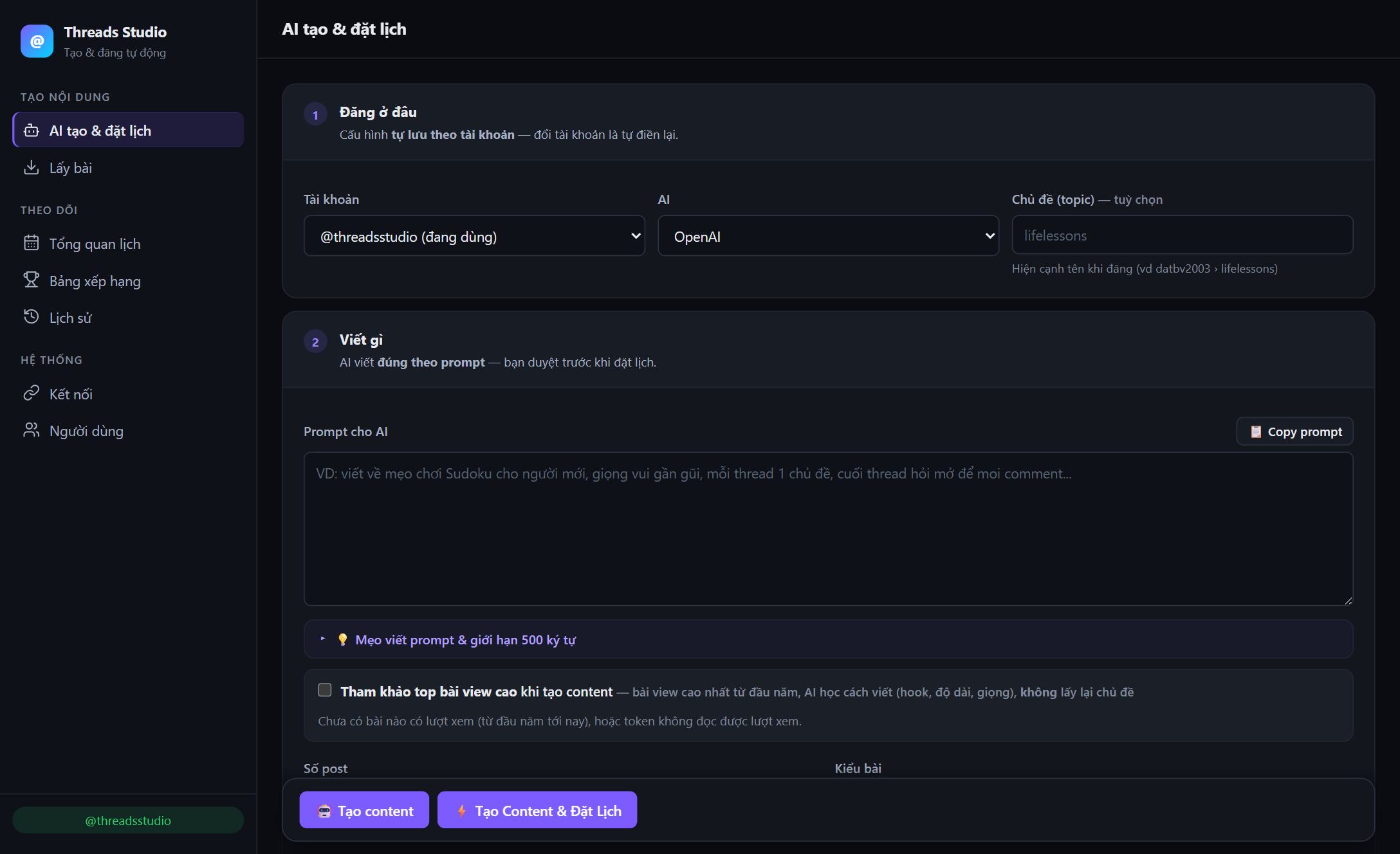
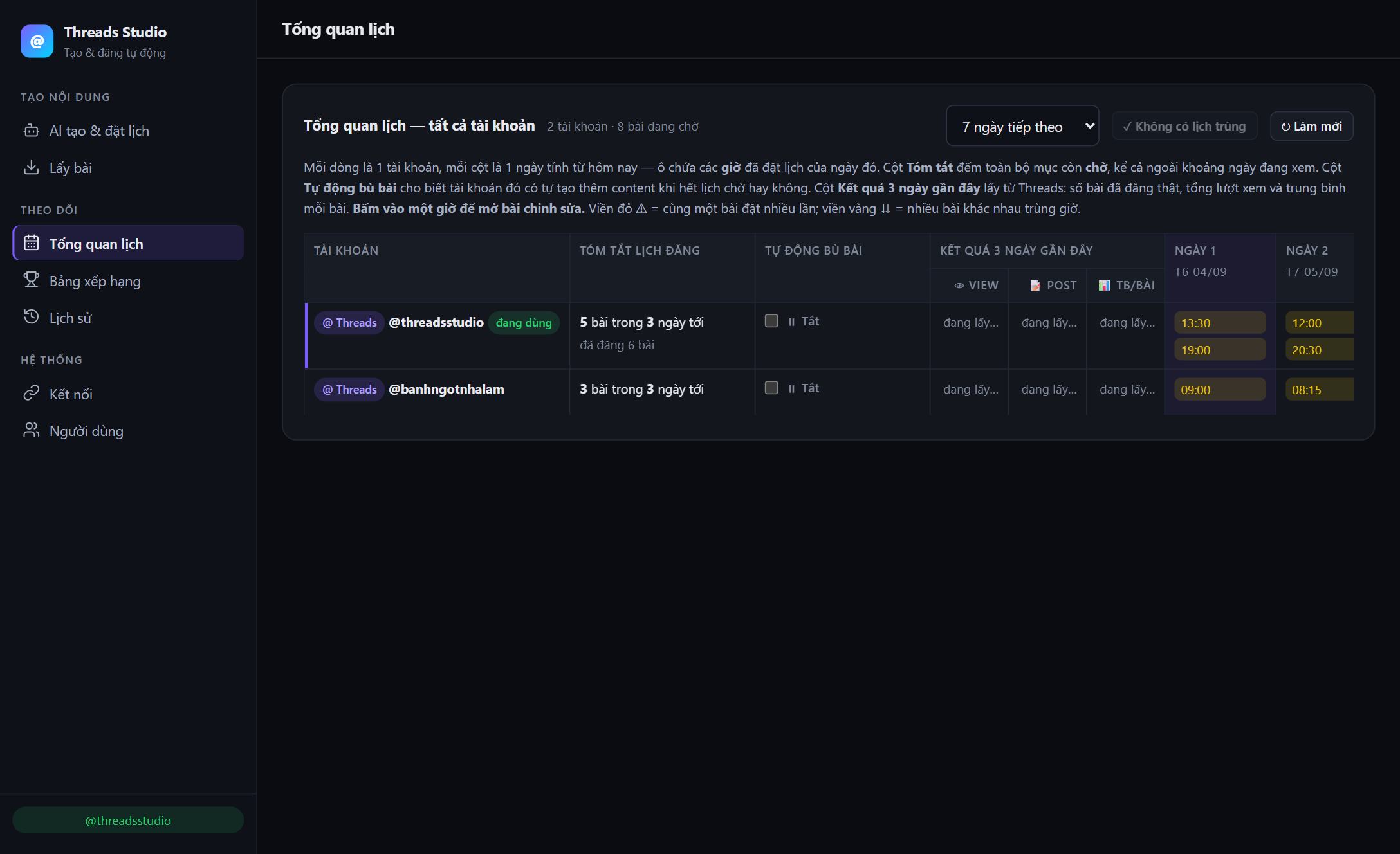
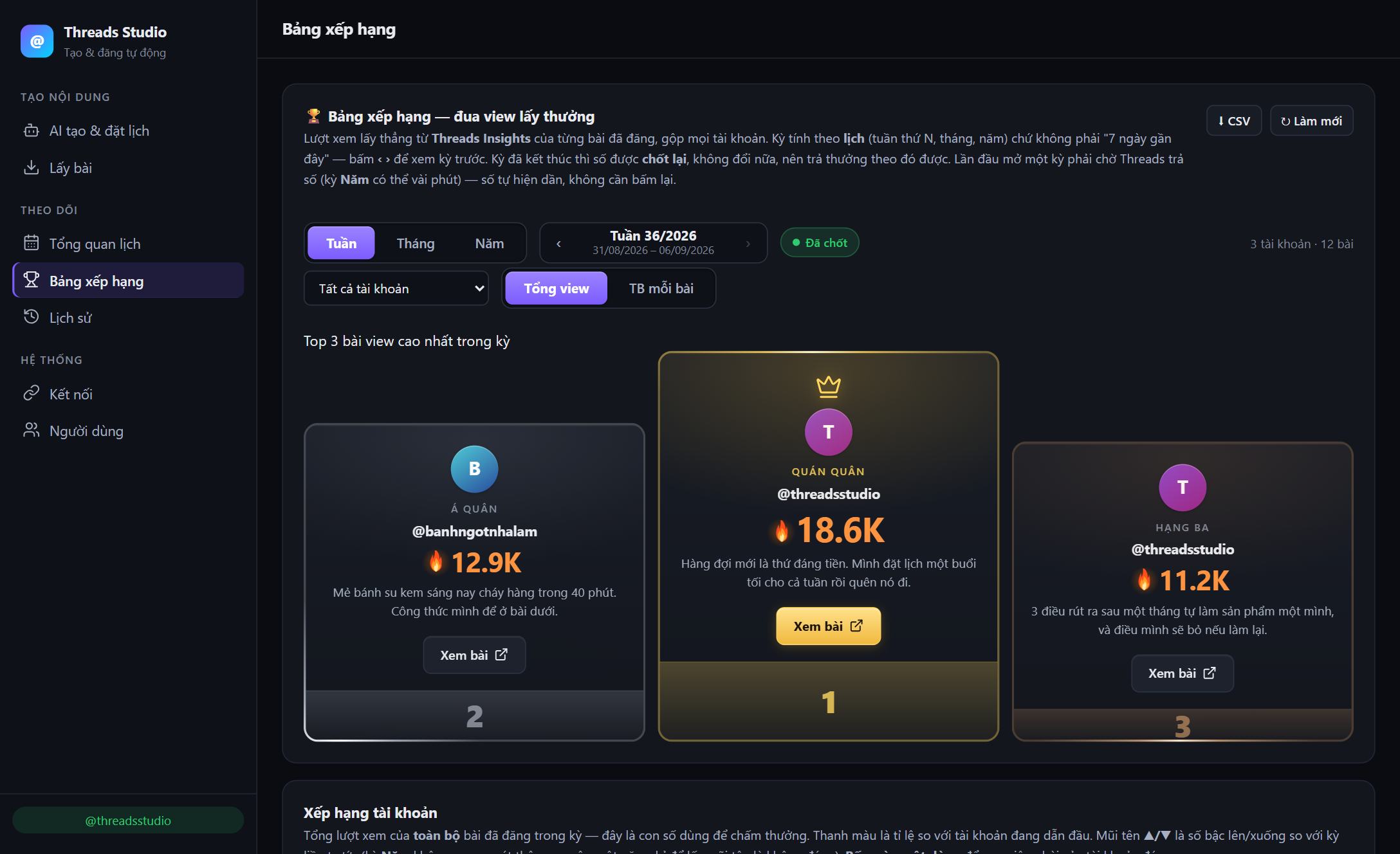
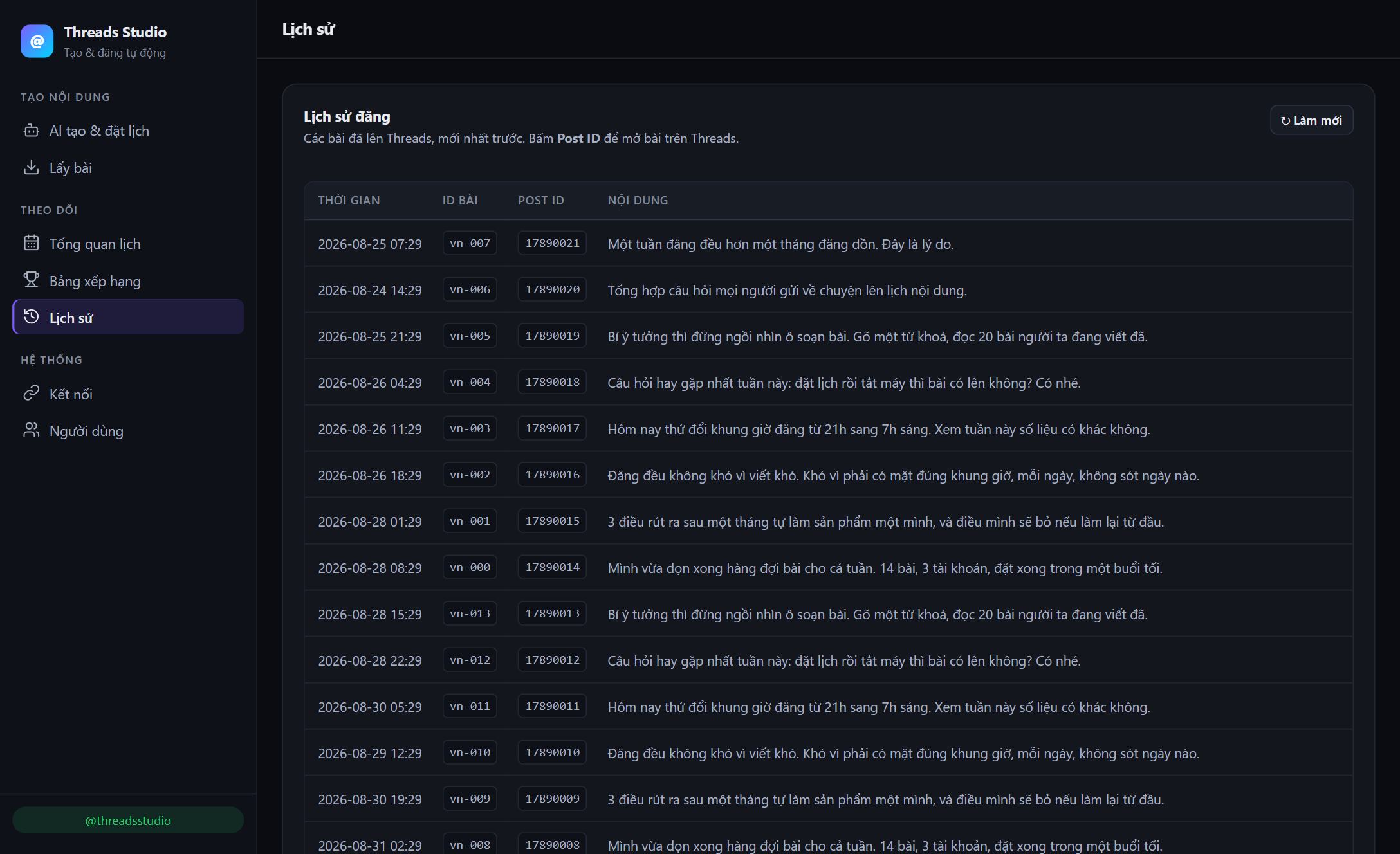
Screenshots of the app itself. The content and account names inside are sample data. The app interface is in Vietnamese.
You are not short of ideas. You are short of time to sit and press publish.
Posting consistently on Threads is hard not because writing is hard, but because you have to show up at the right time, every day, without missing one.
- Open the app four or five times a day to hit your slots
- Miss one day and the streak breaks, reach drops with it
- Several accounts means signing in and out all day
- The queue runs dry without warning and the streak quietly breaks
- No idea which post worked, so the next one is a guess
- Every day you have to think of something to write
- Line up a whole week in one sitting
- The scheduler runs on the server, posts go out with your machine off
- Switch between your accounts in one window
- When the queue runs low the app tops it up from your saved setup
- Views and engagement sit right next to the post that earned them
- Write the prompt once, the AI drafts the batch from it
You are probably one of these three
You need to show up daily so people remember you, without spending every day watching the clock.
Posts have to land in the busy hours, including while you are with a customer or out of the office.
A few profiles at once, each with its own schedule and its own voice, more than you can hold in your head.
Everything it takes to keep a Threads account running
Every feature below applies only to Threads accounts you own and have connected yourself.
The AI writes from your prompt
Write the brief once: topic, voice, length. Pick OpenAI, Claude or Gemini, how many posts you want, and whether they should be multi-part threads or single posts. Review and edit the drafts before anything gets scheduled.
Scheduling and the queue
A time slot per post, all of them in one ordered queue. The scheduler runs on the server, so posts go out with your machine off.
The queue tops itself up
When a queue runs low the app drafts more posts from the prompt and settings you saved for that account, and schedules them after the last one.
Solves: a busy week no longer breaks the streak.Views leaderboard
Ranks your posts by views pulled straight from Threads Insights, across all connected accounts, by calendar week, month or year. Finished periods are locked so you can pay out against them, and every table exports to CSV.
Several accounts, one window
Connect more than one Threads profile you own and switch between them without signing in and out.
Multi-part threads, chained
Split a long post into parts. The app publishes the first one, then attaches each next part to it, spaced out and retried if Threads pushes back.
Solves: long threads that break apart halfway.Several people, scoped access
Each person gets their own login, an admin or member role, and access limited to the Threads accounts you allow them to touch.
Solves: delegating without handing the whole team a token.Research before you write
Search public Threads posts by keyword or hashtag to see how a topic is being discussed, then write a sharper prompt.
Solves: prompts grounded in what is actually being said.Your own numbers
Views and engagement for the posts you published, so the next batch is based on what actually worked instead of a hunch.
Solves: knowing what to drop and what to keep.Three steps from empty queue to published
Connect your account
Sign in with Meta's official Threads login and pick the account to connect. You see exactly which permissions you are granting before you approve.
about 2 minutes, onceThe AI drafts, you approve
Write the prompt, pick the AI provider, the number of posts, and whether you want threads or single posts. Review, edit what you do not like, then schedule. Writing everything by hand still works too.
minutes for a whole batchPublish and review
The app posts each item at its time, then brings back the views and engagement for each one so you can plan what comes next.
nothing for you to doExactly what we ask for, and why
This is the part we most want you to read. Threads Studio requests five permissions. Each one powers a single feature, and nothing else.
| Permission | What it is used for |
|---|---|
threads_basic | Read your profile ID and username, so the app knows which connected account you are working in and can show it in the account switcher. |
threads_content_publish | Publish the posts you wrote, at the times you chose, to your own profile. |
threads_manage_replies | Publish the follow-up parts of a thread as replies attached to your own original post, so a long post stays in one chain. |
threads_manage_insights | Show views and engagement for posts on your own account. |
threads_keyword_search | Return public Threads posts matching a keyword you searched, displayed to you for content research. |
- No selling or sharingWe never sell, rent, or transfer Threads data to third parties, and never use it for advertising.
- No profiles across usersData from one account is never combined with another's. What you see is yours alone.
- Nothing published on its ownThe app posts only content you wrote, at a time you set. It never posts, follows, or replies by itself.
- Deleted when you say soRemove the account in the app, or revoke access in your Threads settings, and the stored token and data are removed.
Full details are in our Privacy Policy.
Questions people ask first
Do I have to give you my Threads password?
No. You sign in through Meta's official Threads login, on Meta's own page. Threads Studio only receives an access token, and you can revoke it at any time.
Could my account be restricted for automated posting?
Posts go through Meta's official API, which is the sanctioned way for an app to publish, not by imitating taps in the app. You still have to follow the Threads Community Guidelines as you would posting by hand, and post at a sane pace rather than dumping in bulk.
Will posts go out if my computer is off?
Yes. The scheduler runs on the server and checks continuously. It does not depend on your browser or your machine.
Will the app post anything I did not write?
No. It publishes only the content you composed, at the time you scheduled. It never posts, follows, likes, or replies on its own.
How many accounts can I connect?
As many as you like, as long as you own them or are authorized to manage them. You switch between them inside the app.
What happens to my data if I stop using it?
Removing the account in the app deletes its access token and the data stored for it. You can also revoke access from Website permissions in your Threads settings, and we honor Meta's data deletion callback.
Are keyword search results stored?
No. Results are fetched from the Threads API when you search and shown to you for research. They are not kept afterwards.
Can I edit what the AI writes?
Yes. Drafts land in your own content list. Read them, edit them, delete the ones you do not like, all before anything is scheduled. You can also ignore the AI entirely and write every post by hand.
Where do my prompt and my posts get sent?
Your prompt goes to the AI provider you pick (OpenAI, Anthropic or Google) so it can return drafts. If you turn on the option to reference your best posts, the text of your own highest-viewed posts is sent along as a style example. Beyond that, your Threads data does not leave the system. The Privacy Policy has the details.
Leave your email and we will open an account
Accounts are opened by hand for now, so every new user gets a real handover. Leave your email and we will get back to you and walk you through connecting your Threads account.
Software built by the people who use it
BringNext LLC builds and operates its own consumer and productivity products. Threads Studio is one of them, made because scheduling Threads posts by hand stops working after the first week.